How to Improve Loading Dock Efficiency
Loading dock efficiency comes down to three things: a shared schedule instead of guesswork, real-time visibility for everyone involved, and accountability when someone doesn't stick to their slot. Most dock congestion isn't a space problem, it's a structure problem. There's no shared record of who's arriving when, no way for tenants to know a delivery is coming, and no consequence when a truck overstays its welcome.
This post covers why docks become inefficient in the first place, what a well-run dock actually looks like, seven practical changes that get you there, and the mistakes that quietly undo progress even after you've made improvements.
Why do loading docks become inefficient?
Most loading dock problems trace back to a handful of root causes, and they compound fast.
Unscheduled arrivals are the biggest one. Without a booking system, vehicles show up whenever they show up, and dock staff manage the resulting queue in real time instead of planning around it. Add limited bay space, and a single delayed delivery pushes back everyone behind it.
Tenants and carriers usually can't see what's happening at the dock. A tenant expecting a delivery has no idea if it's running on time, sitting in a queue, or hasn't left yet. Carriers face the same blind spot in reverse as they don't know if a bay will be open when they arrive.
Then there's the overstay problem. Without a system tracking how long a vehicle has been at the dock, there's no accountability for the driver who runs 40 minutes over their slot and holds up three vehicles behind them.
Underneath all of it is usually a manual process of phone calls, spreadsheets, and a whiteboard that worked fine at low volume and breaks down the moment traffic picks up.
What does an efficient loading dock actually look like?
An efficient loading dock runs on a shared schedule, not guesswork. Drivers know their arrival window before they leave. Facilities teams can see, in real time, who's at the dock, who's next, and who's running long. Tenants know when to expect a delivery instead of finding out when it's already downstairs.
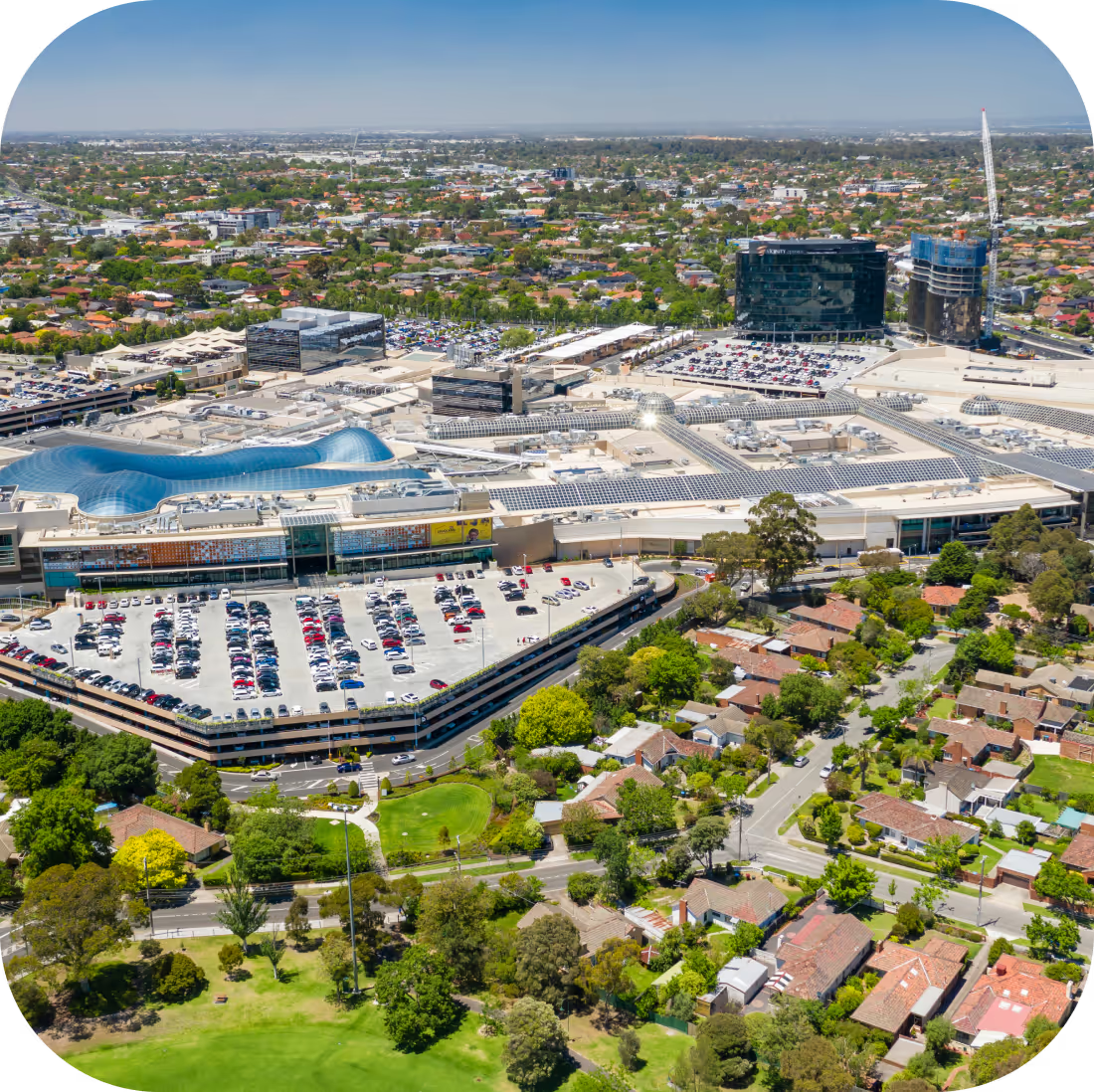
That's not theoretical. Melbourne Central runs a single loading dock shared between a retail centre and a 51-floor office tower in the heart of Melbourne's CBD, around 150 vehicles a day through one dock. Before it introduced scheduled bookings, the dock ran first come, first served, with vehicles queuing up to an hour and two staff working the dock full-time just to manage traffic. Within two weeks of switching to booked time slots, 70% of vehicles were reserving ahead of time. Compliance now sits at 85–90%, and the staff who used to manage the queue all day are free to focus on other dock operations.
7 ways to improve loading dock efficiency
1. Move from phone/email scheduling to a shared booking system. If drivers are calling or emailing to arrange a delivery window, that information lives in someone's inbox, not in a system anyone else can see. A shared booking system puts the schedule in one place, visible to dock staff, tenants, and drivers alike.
2. Set and enforce dock time windows. A schedule only works if the windows mean something. Chadstone, one of Australia's busiest retail destinations, runs a nearly 30-bay loading dock that used to require security staff on-site from 6am until after lunch just to organize trucks and chase down phone numbers. After introducing a booking system with enforcement built in (drivers who don't comply lose the ability to book) peak trading periods now run without congestion, and staff who once spent half the day managing traffic visit the dock once or twice a day.
3. Track dock overstays and follow up on repeat offenders. Every dock has drivers who consistently run long. Without a record of arrival and departure times, there's no way to identify them or hold them accountable. Tracking overstays turns an anecdotal complaint into a data-backed conversation.
4. Give tenants and carriers visibility into their own booking status. When tenants can see their delivery is scheduled and on track, they stop calling the front desk to ask where it is. When carriers can see bay availability before they arrive, they stop showing up to a full dock and waiting it out.
5. Monitor capacity by time of day, not just by dock count. Two docks might be enough capacity on paper and still bottleneck every day between 10am and noon. Looking at utilization by hour, not just by total bay count, shows you where the actual pressure point is.
6. Standardize check-in and check-out. A consistent process for logging arrival and departure creates a record you can act on later. Without it, every overstay or dispute comes down to someone's memory of what happened.
7. Review dock utilization data monthly, not just when there's a complaint. Most facilities teams only look closely at dock performance after something goes wrong. A regular monthly review catches drift, such as a creeping overstay pattern, a time slot that's chronically overbooked.
What are common loading dock efficiency mistakes to avoid?
Treating scheduling as a one-time fix. A booking system solves the initial chaos, but dock patterns shift as tenants change and volume grows. Efficiency needs ongoing attention, not a single setup.
Having no accountability for overstays. A schedule without consequences for ignoring it just becomes a suggestion. The docks that stay efficient long-term have some mechanism — even an informal one — for addressing repeat offenders.
Leaving tenants out of the loop. Tenants who can't see delivery status will keep calling to ask. That's not a communication failure on their part; it's a visibility gap on the system's part.
Relying on spreadsheets that go stale. A spreadsheet is better than nothing, but it's only accurate the moment someone updates it. By the time a driver is at the gate, it's often already out of date.
Enforcing the rules unevenly. If some drivers get away with ignoring their time slot and others don't, the whole system loses credibility fast — and compliance drops across the board.
FAQ
How do I improve loading dock efficiency?
Improving loading dock efficiency starts with replacing manual, first-come-first-served coordination with a scheduled booking system, giving tenants and carriers visibility into that schedule, and enforcing time windows so overstays don't cascade into delays for everyone else.
What is dock capacity management?
Dock capacity management is the practice of matching delivery demand to available bay space and time slots — usually by tracking utilization by hour or day, rather than just counting how many docks a building has.
How can I reduce loading dock congestion?
Congestion is most often caused by unscheduled arrivals competing for the same bays. Moving to booked time slots, spreading deliveries across the day based on actual demand patterns, and enforcing overstay limits are the most direct ways to reduce it.
How do I track dock overstays?
Tracking overstays requires a system that logs actual arrival and departure times against the booked window, so anyone running long shows up in the data rather than as a one-off complaint.
What features should loading dock management software have?
At minimum: a shared booking calendar, real-time visibility for tenants and carriers, automated overstay tracking, and enforcement tools that can restrict booking access for repeat non-compliance.
Curious how this looks in practice? See how facilities teams are running their docks with a live scheduling system in place.




Get the latest insights into your inbox