Loading Dock Scheduling Software: Key Features to Look For

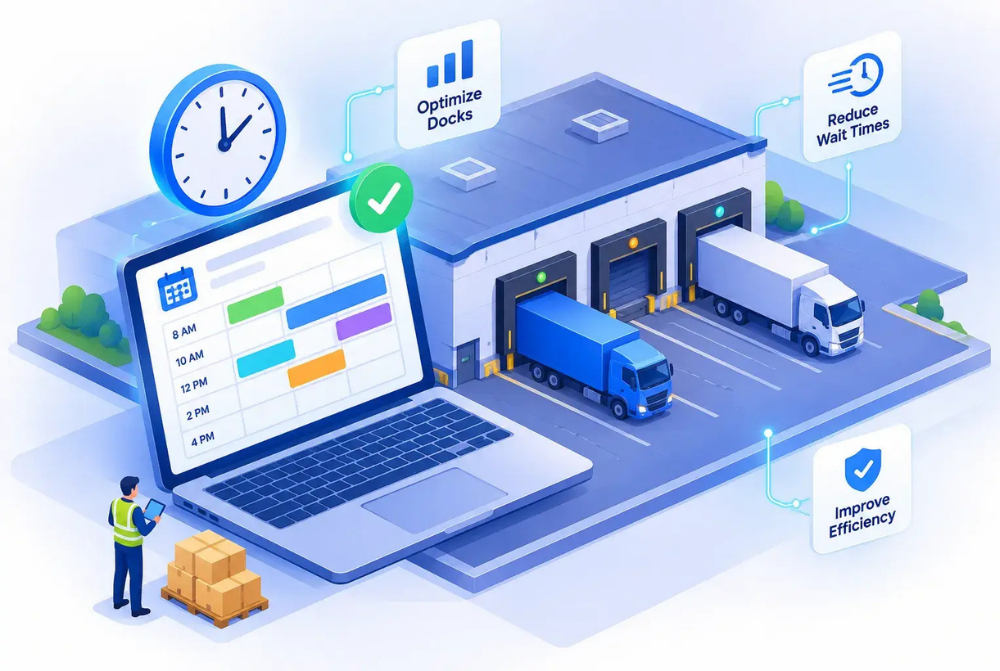
The best loading dock scheduling software combines five capabilities: centralized bookings, automated alerts, access control, driver compliance checks, and integrations with the systems you already run. For many operations, these criteria matter most because together they reduce congestion and protect delivery windows. A calendar alone usually isn't enough.
This article gives you an evaluation checklist, a comparison of the main tool types, and two examples for a commercial facility and a warehouse. We're Veyor, a logistics management platform that ties dock bookings to communication, site access, and last-mile delivery coordination. That lens shapes how we judge every tool, including our own.
It's written for facility managers, warehouse and logistics coordinators, and safety and compliance leads who are building a shortlist.
Key takeaways
- One source of truth: A shared real-time calendar can prevent the conflicting bookings that spreadsheets and inboxes create, provided reservations and capacity rules are configured correctly.
- Beyond the calendar: Access control, driver compliance, and alerts work alongside scheduling rules, conflict detection, and dock assignment to ease congestion.
- Price the full cost: Implementation, integrations, support, and carrier fees change the real number.
- Adoption shapes ROI: Low carrier/delivery driver and tenant adoption can undermine the return on any scheduling system.
What does loading dock scheduling software fix on a busy dock?
It fixes the conflicts that come from having no single source of truth. Picture two carriers arriving for the same door, or a tenant's delivery blocking a contractor's. Nobody sees the clash until trucks are already queuing.
The root cause is simple: changes live in inboxes, phone calls, and paper logs, and spreadsheets can't tell the dock crew that a slot moved ten minutes ago.
A centralized booking calendar addresses this. Once a slot is reserved, it disappears for everyone else, and carriers, dispatchers, and dock staff all see the same schedule. Good conflict detection checks doors, labor, equipment, and appointment length, not just open time.
Automated alerts protect the delivery window. Confirmations, reminders, delay notices, and reschedule prompts go out without anyone making calls, and staff can move an appointment when a truck arrives early or late. Our supply chain communication feature keeps bookings, messaging, and automated alerts in one place so suppliers, contractors, and facility managers stay aligned in real time.
Which features separate a basic booking calendar from dock appointment scheduling software that reduces congestion?
Three things do: access control, compliance checks before arrival, and permissions that carriers will tolerate. A calendar tells you when a truck should arrive. These features control what happens when it does.
Do you need access control and gate verification built in?
Yes, if your dock is shared. Assign each delivery to the right access point, and integrate with smart cameras and security hardware for automated vehicle verification. This matters most in multi-tenant buildings, healthcare facilities, airports, and data centers, where the wrong truck at the wrong gate creates real problems.
How do driver and vehicle compliance checks work before a truck arrives?
The driver completes a pre-arrival checklist, compliance is confirmed, and the load is verified. The system keeps an audit-ready record, replacing paper logs and potentially moving trucks through the gate faster. Where docks share space with active work areas, exclusion zone coordination keeps trades and deliveries from colliding.
What about carrier self-service, permissions, and reporting?
Carrier portals give you tighter control but can deter one-time carriers, while no-account booking links boost adoption but give you less verification. Role-based access lets carriers book only valid slots while staff approve exceptions. Audit trails and utilization reports then show you which bottlenecks keep repeating.
What should be on your software evaluation checklist?
Run every vendor through the same ten points, and score each one against your own volume and systems:
- Carrier adoption without friction
- Scheduling rules depth (door, labor, equipment, load type)
- Real-time conflict prevention
- Automated alerts and rescheduling
- Access control and gate verification
- Driver compliance checks and audit trail
- Multi-site controls and permissions
- Reporting and detention-dispute records
- Last-mile and tenant or contractor coordination
Compare cost without relying on sticker prices.
Vendors price per site, per dock, per user, per appointment, or flat, and in some cases dock count sets a pricing tier rather than a separate per-dock charge. Then price out the hidden items: implementation, integrations, carrier-network fees, support, and added facilities. Run a demo and a short trial with your real appointment volume, and set measurable pilot criteria up front, such as average gate wait time, on-time arrival rate, and weekly scheduling conflicts.
Read reviews with sample size in mind.
Weigh verified reviews on usability, support responsiveness, and reliability, and check how many exist. A rating built on 15 reviews carries less weight than one built on 100 or more, and review counts on sites like Capterra change over time, so note the date you checked.
How do the main types of dock scheduling software compare, and where does Veyor fit?
Buyers generally choose among a few approaches: Veyor as a platform built around shared-site coordination, standalone dock schedulers, dock-and-yard platforms, and WMS/TMS suites. Transportation-network tools are another option for some shippers. Here's how the first four compare on the criteria that matter.
Standalone tools are often quicker to deploy but narrower. Yard platforms add depth with more process change. Suites fit enterprises already standardized on them, though dock scheduling there can be less specialized. We built Veyor around gate control, compliance records, real-time communication, and last-mile coordination.
Where Veyor may be the right pick. Put us on your list when tenants, contractors, and suppliers share your docks, and when gate control and compliance records matter as much as the calendar. We're also worth evaluating when you want dock booking connected through to final drop-off.
Building the shortlist. Match tools to your profile. A small single-site operation can start with a simple standalone scheduler. A mid-market warehouse or 3PL should weigh standalone and dock-and-yard options. An enterprise with an existing WMS should check its suite's scheduling module first. A multi-tenant commercial facility should evaluate Veyor alongside the others. Keep the list to three tools.
What does this look like at a commercial facility or warehouse?
These are illustrative scenarios, not client stories. In a multi-tenant commercial building, imagine tenants and contractors booking deliveries through one system. Each delivery is assigned to the correct access point, and drivers complete pre-arrival checklists. Gate verification happens automatically, and the facility manager sees one live schedule. Possible outcomes to measure in a pilot include shorter queues, fewer disputes, and a cleaner audit trail.
Now imagine a distribution warehouse with high inbound volume. Carriers self-book against door and labor rules, and alerts handle early and late arrivals. Compliance checks happen before the truck reaches the gate. Those same bookings can link to last-mile coordination for outbound deliveries, so the schedule doesn't stop at the dock door.
To roll out without disrupting your dock:
- Map your current pain points: double-bookings, queues, missing records.
- Pilot on one dock or one tenant group.
- Onboard carriers with a short booking guide.
- Review utilization and alert data after 30 days, then adjust your rules.
Conclusion: build your loading dock scheduling software shortlist around the problems you have
Centralized bookings, automated alerts, access control, and driver compliance checks are the capabilities that most often help reduce congestion. Use the checklist above to score each vendor against your own volume and systems, and weigh total cost, not just the demo.
Loading dock scheduling software pays off only if carriers and tenants use it, so favor simple booking and strong communication over a long feature list nobody opens.
Ready to test it against your checklist? Book a Veyor demo to see dock bookings, communication, access control, and last-mile coordination working in one system.

Frequently Asked Questions
How can you test dock scheduling software before rolling it out?
You can run a short trial using your real appointment volume and pilot the software on one dock or with one tenant group. Set measurable criteria upfront, such as gate wait time, on-time arrival rate, and weekly scheduling conflicts.
Why does carrier adoption matter when choosing dock scheduling software?
Carrier adoption matters because low usage can undermine your return on a scheduling system. No-account booking links can encourage adoption, while carrier portals offer tighter control but may deter one-time carriers.
How can you keep a dock scheduling rollout from disrupting operations?
You can limit disruption by starting with one dock or one tenant group and giving carriers a short booking guide. Review utilization and alert data after 30 days, then adjust your rules.




Get the latest insights into your inbox